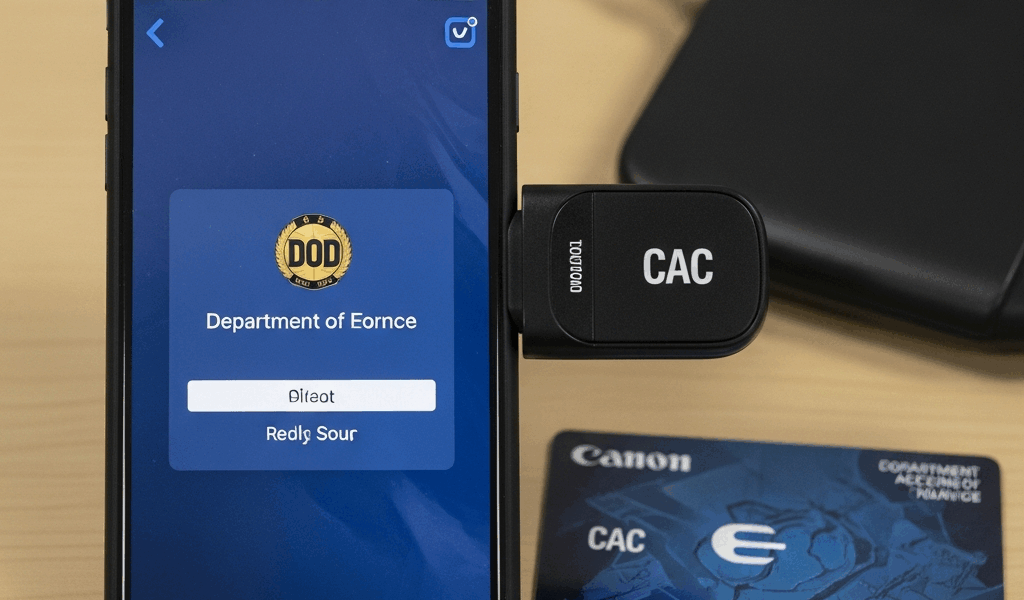
The best mobile CAC reader is not a universal product: it is a reader explicitly supported by your iPhone, iPad or Android device, approved by your organization, and compatible with the exact website or managed application you need. On iPhone and iPad, Apple provides native support for PIV smart cards and compatible CCID readers on iOS 16 and iPadOS 16.1 or later. Android compatibility remains more dependent on the device, USB host support, reader integration and application.
Do not buy from a list that promises every USB-C reader works, that iPhone is “Bluetooth only,” or that Chrome automatically handles every CAC workflow. Those claims appeared in earlier versions of this site’s guides and are not reliable.
Mobile CAC reader checklist
| Requirement | What to verify before buying |
|---|---|
| Organizational approval | The exact reader, mobile device and network or service are permitted |
| Card and reader standard | The manufacturer confirms PIV/CAC and CCID support for your OS version |
| Physical connection | Correct USB-C, Lightning, Bluetooth or approved adapter path, including power needs |
| Software path | Native OS support, approved middleware or a managed PIV-enabled app |
| Target service | The specific website, email profile, VPN or signing workflow supports mobile certificate authentication |
| Fallback | An approved computer or derived-credential method is available if mobile access fails |
iPhone and iPad CAC support: what Apple actually says
Apple states that iOS 16 and iPadOS 16.1 or later support PIV smart cards and CCID-compliant readers. The default workflow is to unlock the device, connect the smart-card reader, insert the PIV-compatible card and use it with supported web services, PIV-enabled apps, or signing and encryption in Mail.
This directly corrects the old claim that iPhones block wired smart-card readers and can use only Bluetooth. Apple explicitly describes plugging in a reader. It also advises administrators to confirm with the CCID reader manufacturer that the model works on the relevant Apple device without third-party software.
Some desktop readers may draw more power than an iPhone or iPad supplies. Apple notes that a powered USB hub may be necessary in those cases. A matching connector therefore does not guarantee operation.
Lightning vs USB-C Apple devices
The physical adapter or accessory differs by device generation, but OS and reader support still control. Do not assume every inexpensive USB-C reader works on a newer iPhone merely because the plug fits. Require manufacturer confirmation for the exact reader, Apple device and supported OS version.
Android CAC support
Android devices vary across manufacturers, OS builds, USB host implementations and enterprise-management configurations. A phone may detect a USB reader while the browser or target app still cannot use its certificates. There is no responsible “all Android 10+ phones are plug-and-play” rule.
Before purchase, confirm all four layers:
- The device supports the reader’s physical connection and USB host/OTG behavior when required.
- The reader vendor supports that Android version or supplies an approved integration.
- The organization permits the device and authentication method.
- The target app or website supports certificate authentication through that integration.
Do not sideload unknown middleware, certificate installers or “CAC helper” applications to force support. Use the organization’s managed app catalog, official app store listing named by the vendor, or help-desk instructions.
Wired, Bluetooth or derived credential?
| Method | Best use | Main checks |
|---|---|---|
| Wired CCID reader | Supported iPhone, iPad or Android workflow with an appropriate port or adapter | OS level, CCID support, power, connector and app compatibility |
| Bluetooth smart-card reader | Approved mobile workflow where wireless placement is needed | Reader approval, pairing, battery, middleware/app and local wireless policy |
| Derived PIV credential | Agency-managed mobile access where carrying and connecting the physical card is impractical | Agency issuance, device management and supported relying services |
DISA’s mobility diagram allows an unclassified government-furnished mobile device to connect through Bluetooth to an approved smart-card reader in the depicted scenario, while noting that local sites may impose stricter controls. See our Bluetooth CAC reader approval and compatibility guide before choosing wireless hardware.
How to choose a mobile CAC reader safely
- Define the task. Name the actual service: a particular portal, managed email, VPN or document-signing workflow.
- Define the endpoint. Record device model, connector, OS version and whether it is government furnished or personal.
- Ask the service owner. Confirm that mobile PIV/CAC authentication is supported and identify the approved app or browser.
- Ask the reader manufacturer. Require a current support statement for the exact endpoint, not a generic “iOS/Android compatible” badge.
- Check local approval. Security and mobility policy can be stricter than a platform’s technical capability.
- Test before travel. Validate card detection, certificate selection, PIN entry and the real target service.
Safe setup sequence
- Update the device only through the approved management or OS-update process.
- Install only the reader vendor’s or organization’s approved software, if any is required.
- Connect or pair the reader using its official instructions.
- Insert the CAC and confirm the operating system or approved app detects the card.
- Test a supported service and select the correct certificate when prompted.
- Enter the PIN only into the trusted system prompt; never store it in notes, browsers or password fields.
- Remove the CAC when finished and secure both card and device.
Root-certificate installation should follow the service owner’s or agency PKI instructions. A certificate-warning bypass is not a CAC fix. Never download a “DoD certificate bundle” from an unofficial mirror.
Common mobile CAC failures
The phone sees the reader but not the card
Check card orientation, reader power and manufacturer support. On Apple devices, verify the minimum OS and whether the reader requires a powered hub. On Android, confirm the vendor’s USB host or app requirements.
The card is detected but the website does not request a certificate
The browser or service may not support that mobile path. Try only the approved app or browser identified by the service owner; do not repeatedly reinstall certificates or lower browser security.
The certificate appears but authentication fails
Confirm that you selected the authentication certificate, that the CAC is current and that the account or service accepts the presented credential. A reader cannot repair an expired certificate, locked card or account-side problem.
The reader disconnects or drains power
Check the official power requirements, adapter and cable. Apple specifically warns that some desktop CCID readers may need a powered USB hub on iPhone or iPad.
When not to buy a mobile reader
- Your organization already provides a managed derived credential or approved mobile-access method.
- The target portal does not support mobile certificate authentication.
- The reader manufacturer cannot confirm your device and OS.
- Your security or mobility team does not permit the workflow.
- You need dependable access but have not tested the complete setup before travel.
Frequently asked questions
Can an iPhone use a wired CAC reader?
Yes, on supported configurations. Apple documents native PIV smart-card and CCID-reader support for iOS 16 and later and describes plugging in a reader. Confirm the exact reader, connector, power requirement and service.
Does any USB-C CAC reader work with iPhone 15 or newer?
No universal guarantee exists. A matching USB-C plug is only the physical layer. Apple says administrators should confirm reader compatibility with the manufacturer.
Can Android Chrome automatically use a CAC?
Do not assume so. Support depends on the device, reader, OS, integration and target service. Use the approved application path supplied by your organization or vendor.
Should I install DoD root certificates manually?
Only from the official agency PKI source and only when the supported workflow instructs you to. Never bypass a warning or install certificates from a third-party download site.
Is a mobile CAC reader a replacement for a laptop?
Not necessarily. It can support specific approved services, but portal features, browsers, VPNs and signing workflows may still require a managed computer.
Official references
- Apple Platform Deployment: use a smart card on iPhone and iPad
- Apple: smart-card integration and CCID support
- DISA: wireless guidance for unclassified mobility GFE connections
- NIST SP 800-157 Revision 1: derived PIV credentials
Technical guidance checked August 2026. Organization policy, reader-manufacturer support and the target service’s instructions control.




Subscribe for Updates
Get the latest cac readers.com updates delivered to your inbox.
We respect your privacy. Unsubscribe anytime.