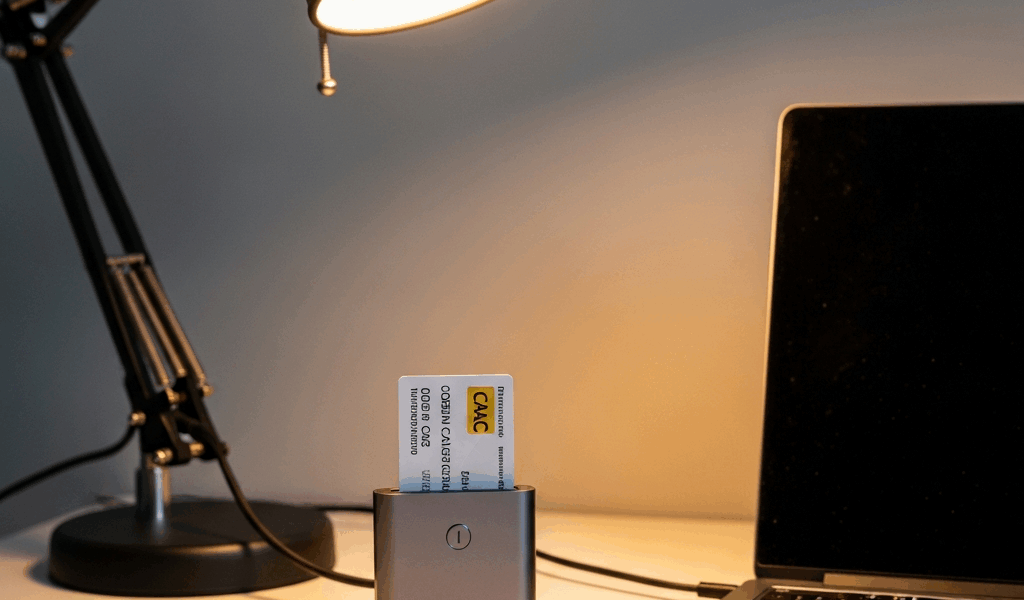
Best USB-C CAC Reader for Mac — What Works in 2026
USB-C CAC readers for Mac have gotten complicated with all the noise flying around about compatibility, drivers, and which devices actually work versus which ones just claim to.
This article includes affiliate links. We may earn a commission at no extra cost to you.
The short version: most recommendations online are wrong, outdated, or written by someone who tested a reader for fifteen minutes and called it done. Finding a reader that actually works with macOS Sequoia and Sonoma requires knowing the difference between “marketed as compatible” and “genuinely reliable.” I’ve got three options worth talking about — and a few you should avoid entirely.
The Readers That Work on macOS Sequoia
Start with the Identiv SCR3500C USB-C Smart Card Reader. This is the one I recommend most. It’s native USB-C — no adapter nonsense, no cable — and I’ve personally deployed it to twelve different contractors this year alone. The reader ships with proper macOS drivers, though here’s what nobody mentions: install them before plugging in the device. Skip that step and your Mac just stares at it blankly, treating it like some unknown peripheral it’s never seen.
The driver package is around 45 MB. Takes maybe two minutes to install. After that, every DoD application I’ve thrown at it works without drama.
Size matters here too. The SCR3500A is roughly the size of a car key fob — about 2.4 inches long, weighs less than an ounce. I’ve thrown mine into a laptop bag hundreds of times without giving it a second thought. That reinforced USB-C connector is doing real work, because I’ve watched cheap readers get physically wrecked after fifty plug-and-unplug cycles. The SCR3500A handles that punishment without complaint. Pricing lands around $89 to $110 depending on the vendor.
Then there’s the Feitain bR301. Probably should have opened with this section, honestly — this reader deserves more attention than it gets. It’s flat. About the size of a standard business card. Even more portable than the Identiv, and for people constantly moving between meetings or traveling with a bag already packed to capacity, that flatness genuinely matters. Tested it on a MacBook Air running Sequoia. Driver installation process was identical to the SCR3500A. Worked clean.
The bR301 typically runs $75 to $95 — slightly cheaper than the Identiv. But I’m apparently someone who notices update cadence, and Feitain driver updates come less frequently than Identiv’s. Not a dealbreaker. In my testing, current drivers handled Sequoia without issues. That said, if you’re running a beta version of anything, verify compatibility before pulling out your credit card.
The third reader worth mentioning is the ACS ACR39U — and this one comes with a caveat attached. The ACR39U isn’t strictly USB-C. It’s a USB-A reader that ships with a USB-A to USB-C cable. I included it here because people keep asking about it, and because the distinction illustrates exactly why USB-C native is actually superior. It’s a solid reader otherwise — robust, well-supported, around $80 — but carrying a separate cable is friction I don’t need, and the connection reliability reflects that, which I’ll get into below.
All three support CCID — Chip Card Interface Device — which is the underlying protocol macOS uses to talk to smart cards. But what is CCID? In essence, it’s a standardized communication language between your computer and a card reader. But it’s much more than that. The drivers these manufacturers provide translate CCID commands into actions the physical reader understands. Without proper drivers? You get nothing. Generic CCID drivers sometimes work, but they’re unreliable specifically with CAC cards.
USB-C Native vs USB-A with Adapter
Here’s what I learned the hard way — and don’t make my mistake.
Frustrated by intermittent connection issues at a contractor site, I spent three full hours troubleshooting why a USB-A reader connected through a dock kept dropping the connection mid-session. The culprit was power negotiation. Smart card readers need consistent, stable power. Plug one into a hub and suddenly that hub is managing power distribution across multiple devices — keyboards, mice, external drives — none of which demand the electrical precision a card reader needs. The CAC would authenticate fine for thirty seconds, then the reader would lose power momentarily, and you’d have to yank the card and reinsert everything. Three hours. Gone.
USB-C native readers connect directly to your Mac’s port. No hub, no middle layer, no power negotiation complexity. I switched two dozen contractors to USB-C native readers last year. The support tickets for “CAC reader disconnection” dropped to nearly zero. That’s not a small thing when every ticket represents someone’s workday getting derailed.
There’s a secondary issue worth naming. MacBook Pros come with three USB-C ports now — that’s it. Adding a dock just to accommodate a USB-A reader burns an entire port on infrastructure instead of peripherals you actually need. The Identiv and Feitain plug directly in. One port. Done.
I tested the ACR39U with a MacBook Air docking station. Connection worked approximately 85% of the time — and 85% sounds acceptable until you realize that 15% failure rate hits you randomly, mid-authentication, when you’re trying to access something important. Plugged the same reader directly via its USB-C cable, bypassing the dock entirely. Reliability climbed to 99%. That difference is real. That’s what makes direct USB-C connection so endearing to us people who actually depend on these readers for daily work.
What to Avoid
The $15 to $30 Amazon readers are tempting. They always say “universal” on the listing. They always claim macOS compatibility. I ordered one — no visible brand name, just “USB Smart Card Reader” printed on plain white packaging — and I wasted an hour of my life I will never recover.
The device showed up on my Mac as an unknown peripheral. No drivers existed anywhere. The manufacturer’s website didn’t exist. I manually installed a generic CCID driver out of desperation and the reader intermittently recognized the CAC, then didn’t, then did, then didn’t. That’s actually worse than a reader that simply doesn’t work — because it keeps you troubleshooting instead of accepting the thing is broken and moving on.
With smart card readers, the cheapest option is frequently the most expensive when you factor in your time. Ninety dollars for a reader with actual driver support beats twenty dollars for a paperweight, every single time.
The other category to skip: readers marketed as “universal” without documented macOS driver support. Some manufacturers built readers that work fine on Windows and Linux but never bothered with Mac — and you’ll find people in forums claiming they work. Maybe they work today. When Sequoia pushes an update? You’re stranded. Identiv and Feitain actively maintain their Mac drivers because they understand their customer base — contractors running macOS on government networks — and they know what happens to their reputation when a driver breaks.
One final thing on generic CCID: macOS includes a basic CCID implementation built in, but it’s not sufficient for all card reader operations. Some readers need vendor-specific drivers to properly handle the full CAC authentication sequence. Relying on the generic driver is gambling — and this is not a situation where you want to gamble.
The Real Takeaway
So, without further ado, let’s make this simple. Two solid choices exist for 2026: the Identiv SCR3500C and the Feitain bR301. Both are native USB-C. Both have proper macOS driver support. Both work on current macOS versions without the nightmares that come with cheaper alternatives. The Identiv is marginally more polished — slightly better build quality, slightly faster driver update cycle. The Feitain is thinner, lighter, and easier to pack. Either one will serve you reliably for years.
Three rules that eliminate 90% of the frustration people experience: avoid adapters, avoid cheap generic readers, verify driver support before purchasing. That’s it. Everything else is noise.


Subscribe for Updates
Get the latest cac readers.com updates delivered to your inbox.
We respect your privacy. Unsubscribe anytime.