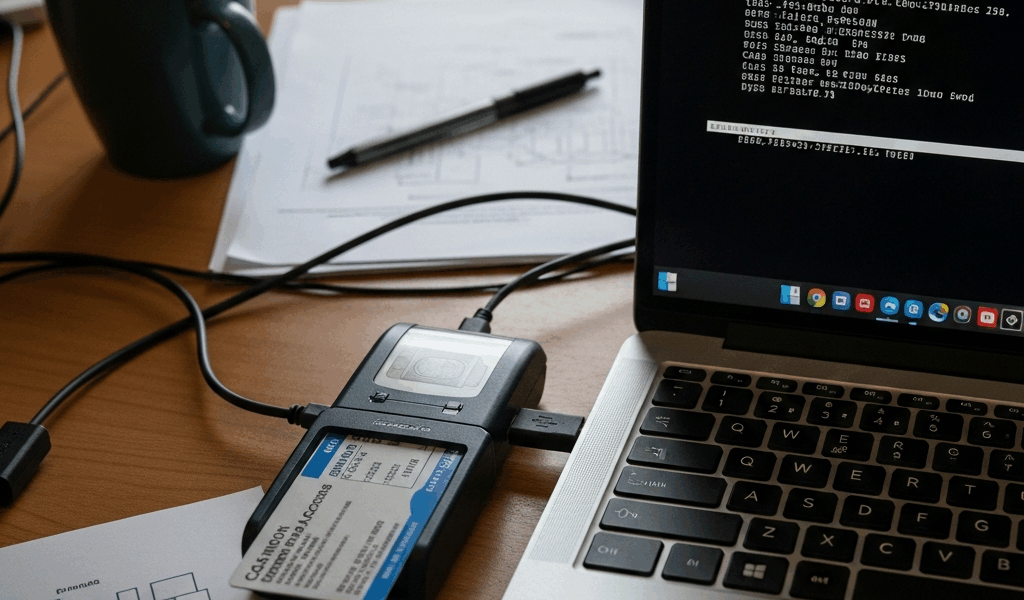
You’re sitting at your Linux workstation trying to log into a .mil site, and your CAC reader is plugged in but nothing is happening. The good news: Linux CAC support works well once it’s configured. The bad news: most guides skip at least one critical step. Here’s the full setup that actually works, with the correct file paths for your distro.
What You Need Before Starting
Three software components make CAC authentication work on Linux:
pcscd — the PC/SC smart card daemon. This is the service that talks to your physical CAC reader hardware. Without it running, Linux doesn’t even know a smart card reader is plugged in.
opensc — the PKCS#11 library that lets browsers access the certificates stored on your CAC. This is the bridge between the hardware layer (pcscd) and the software layer (Firefox, Chrome).
DoD root certificates — without these, your browser will throw certificate errors on every .mil website even if the reader and middleware are working perfectly. This is the step most Linux CAC guides skip, and it’s the step that causes the most frustration.
One more for browsers: libnss3-tools provides the certutil command needed to import certificates into Chrome and Chromium’s certificate store. Firefox has its own certificate manager, but Chrome on Linux uses the NSS database.
Before installing anything, plug in your CAC reader and run lsusb in a terminal. If the reader appears in the output (you’ll see the manufacturer name — HID, Identiv, etc.), your hardware is detected at the USB level. If it doesn’t show up, try a different USB port. Some USB 3.0 controllers have timing issues with older smart card readers — a USB 2.0 port or powered hub usually resolves this.
Ubuntu 22.04 and Linux Mint 21 Setup
Open a terminal and install the required packages:
sudo apt install pcscd opensc pcsc-tools libnss3-tools
Enable and start the smart card service:
sudo systemctl enable pcscd && sudo systemctl start pcscd
Insert your CAC into the reader and verify detection:
pcsc_scan
You should see an ATR (Answer To Reset) string when the card is read. If pcsc_scan hangs with no output, pcscd isn’t communicating with the reader — check the troubleshooting section below.
Now configure Firefox. Go to Settings, then Privacy & Security, scroll down to Security Devices, and click Load. In the module filename field, enter: /usr/lib/x86_64-linux-gnu/opensc-pkcs11.so. Give it any name you want — “CAC” works fine. Click OK.
Navigate to a CAC-protected .mil website. Firefox should prompt you for your CAC PIN. Enter it, and you’re in.
Fedora and RHEL-Based Setup
The process is the same conceptually, but package names and file paths differ on RPM-based distributions:
sudo dnf install pcsc-lite pcsc-lite-libs opensc
sudo systemctl enable pcscd && sudo systemctl start pcscd
The critical difference: the PKCS#11 module path on Fedora is /usr/lib64/opensc-pkcs11.so — note lib64, not lib. Using the Ubuntu path on a Fedora system is the number one reason Firefox on Fedora can’t find the CAC module. When you load the security device in Firefox, use the lib64 path.
Everything else follows the same pattern: insert CAC, run pcsc_scan to verify, configure Firefox with the correct module path, navigate to a .mil site.
Installing DoD Root Certificates on Linux
This is where Windows users have it easy — they run InstallRoot and it handles everything. On Linux, certificate import is manual, but it’s not complicated once you know the process.
Download the DoD root certificate bundle. The authoritative source is DISA’s PKI page, but militarycac.com maintains a current mirror that’s easier to find. You’re looking for the file typically named allcerts.zip or similar.
Extract the zip file. You’ll find roughly 30 certificate files (.cer or .crt) covering the full DoD certificate chain.
For Firefox: Open Settings, search for Certificates, click View Certificates, then Import. Import each root certificate one at a time, checking “Trust this CA to identify websites” for each one. Yes, it’s tedious with 30+ certificates. A bash script helps:
for cert in *.crt; do certutil -d sql:$HOME/.pki/nssdb -A -t "TC,," -n "$cert" -i "$cert"; done
For Chrome/Chromium: Chrome on Linux uses the NSS database, not Firefox’s certificate store. Use certutil from libnss3-tools:
certutil -d sql:$HOME/.pki/nssdb -A -t "TC,," -n "DoD Root CA 6" -i DoDRoot6.crt
Run that command for each certificate in the bundle, substituting the correct filename and name each time. The bash for-loop above handles this automatically if you run it from the directory containing the extracted certificates.
CAC Reader Not Working on Linux — Common Fixes
pcsc_scan shows nothing: pcscd isn’t running. Run sudo systemctl start pcscd and try again. If it was already running, restart it: sudo systemctl restart pcscd.
pcscd running but no card detected: Try a different USB port. Check lsusb output to confirm the reader appears at the hardware level. The readers with the best Linux compatibility are the HID Omnikey 3021, Identiv SCR3310, and Identiv SCR3500. Some off-brand readers require kernel modules that aren’t included in standard distributions.
Card detected but browser doesn’t prompt for PIN: The PKCS#11 module path is wrong. Run ls /usr/lib*/opensc-pkcs11.so to find the correct path for your architecture and distro. Update the Security Devices entry in Firefox with the right path.
Certificate error on .mil websites despite successful CAC authentication: DoD root certificates aren’t installed. Run the certutil import commands or use Firefox’s certificate import GUI to install the full DoD certificate chain.
Intermittent detection (reader connects and disconnects): This is a known issue with some CAC readers on USB 3.0 controllers in Linux. Move the reader to a USB 2.0 port or connect through a powered USB hub. The issue is a timing mismatch between the USB 3.0 controller and the reader’s firmware — not a software problem.



Subscribe for Updates
Get the latest cac readers.com updates delivered to your inbox.
We respect your privacy. Unsubscribe anytime.