Your CAC reader worked fine last month. Now it’s acting like it’s never seen a smart card before. Sound familiar? You’re not alone. CAC reader issues are one of the most common headaches for anyone working with DoD systems, and 2026 has brought a few new wrinkles worth knowing about.
The Best CAC Readers Still Standing in 2026
Let’s cut to it. The readers that consistently work with the least fuss are the same ones that have been reliable for years, with a couple of newer options worth considering.
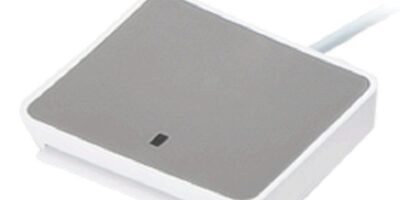
The SCR3310v2 remains the gold standard for USB contact readers. It’s compact, bus-powered, and works across Windows, Mac, and Linux without drama. If your old one died, grab another. They run about $15-20 and just work.
The Identiv uTrust 2700R is the updated version of the SCR3310 line and handles the newer PIV card specifications without issue. Same reliability, slightly updated internals. This is what most IT departments are issuing now.
For laptop users who hate dongles, the Identiv SCR3500A fold-up reader is still the best travel option. It folds flat, fits in a laptop bag pocket, and doesn’t need a separate cable.
USB-C Users: Here’s What to Know
More laptops are shipping with USB-C only, which means you might need an adapter or hub. A word of caution: not all USB-C hubs pass through smart card readers properly. The ones that work most reliably are hubs with dedicated USB 2.0 ports. USB 3.0 hubs occasionally cause handshake issues with older CAC readers.
If you want to skip the hub entirely, the Identiv uTrust 2700F comes in a USB-C variant now. It’s worth the slight premium if you’re tired of adapter chains.
When Your Reader Works But Your Card Doesn’t
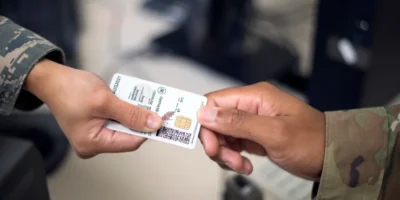
Before you blame the reader, check the card itself. CAC cards have a chip lifespan, and heavy use wears down the contacts. Look at the gold chip on your card. If you see visible scratches or discoloration, your card might be the problem, not the reader. A quick visit to your nearest RAPIDS office for a card replacement often solves mysterious reader issues.
Also check your card’s certificates. Open your certificate manager and look for expired certs. Expired certificates will make it look like the reader isn’t working when the real issue is authentication failing silently.
Wireless and Bluetooth Readers
A few Bluetooth CAC readers have hit the market targeting mobile device users. Be cautious here. Most DoD systems don’t officially support Bluetooth smart card authentication due to security policy restrictions. Unless your specific organization has approved a wireless reader, stick with wired USB. It’s not worth the security compliance headache.
Quick Troubleshooting Checklist
If your reader suddenly stops working, run through this before buying a replacement:
First, try a different USB port. Front ports on desktops are often flaky. Use a rear port connected directly to the motherboard. Second, check Device Manager (Windows) or System Information (Mac) to confirm the reader shows up as a recognized device. Third, remove and reinsert the card — sometimes the chip contacts just need a fresh seat. Fourth, restart the smart card service. On Windows, open Services and restart “Smart Card” and “Certificate Propagation.” Fifth, try the reader on a different computer. This tells you immediately whether the issue is the reader or your system configuration.
Most CAC reader problems come down to drivers, USB power delivery, or worn card contacts. The hardware itself rarely fails. Start simple and work your way up.


Subscribe for Updates
Get the latest articles delivered to your inbox.
We respect your privacy. Unsubscribe anytime.