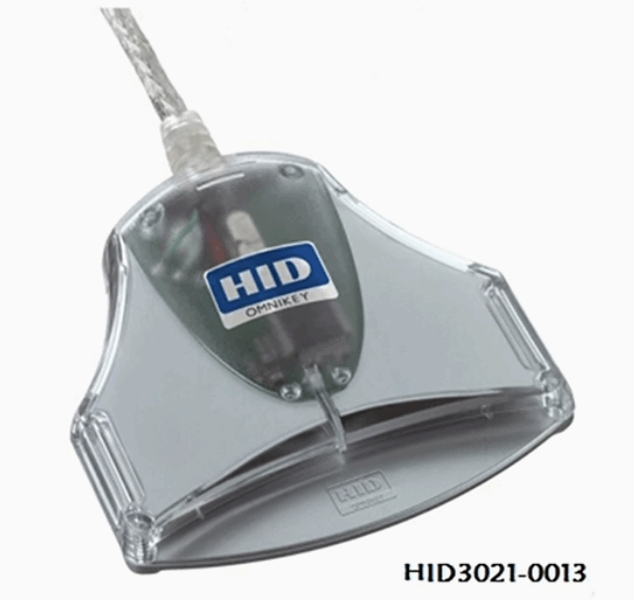
Bluetooth CAC readers have gotten complicated with all the security debates and compatibility issues flying around. As someone who’s been asked about these by every officer who wants to go wireless, I learned everything there is to know about whether Bluetooth readers are worth the trouble. Today, I will share it all with you — and spoiler alert, the answer for most people is no.

How Bluetooth CAC Readers Work
These readers pair with your computer or phone via Bluetooth, same as wireless headphones or a keyboard. You insert your CAC into the reader and it communicates wirelessly with the host device for authentication. Sounds convenient, right? It is, when it works. The problem is the “when it works” part.
The market for Bluetooth CAC readers is pretty thin. Identiv makes a uTrust Bluetooth model, Feitian has the bR500, and there are some mobile-focused options. That’s about it. Compare that to the dozens of USB readers available and you can see where the industry’s confidence lies.
The Security Problem
Probably should have led with this section, honestly. Bluetooth transmits data wirelessly, which means someone nearby could theoretically intercept the communication between your CAC reader and your computer. Modern Bluetooth (4.0+) has decent encryption, but “decent” and “good enough for DoD” are not the same thing.
Here’s the reality: many government organizations flat-out prohibit Bluetooth CAC readers. DISA STIGs may restrict Bluetooth for authentication purposes. Classified networks prohibit wireless devices entirely — not just Bluetooth readers, but wireless anything. Even on unclassified networks, your local cybersecurity office might have policies against wireless smart card readers.
Before you spend money on a Bluetooth reader, check with your security officer. I’ve seen people buy these, bring them to work, and get told they can’t use them on the network. That $60 reader becomes a paperweight real fast.
The Reliability Problem
That’s what makes wired USB readers endearing to us IT folks — they just work, every time, without pairing headaches or battery anxiety.
Bluetooth readers have to be paired, which means going through the Bluetooth discovery and connection process. This can be finicky. I’ve seen readers refuse to pair, drop their pairing after sleep mode, or conflict with other Bluetooth devices. Then there’s the battery — these readers need to be charged or have batteries replaced. A dead battery means no authentication, and there’s usually no low-battery warning when you’re in the middle of using it.
Connection drops are a real thing too. If the Bluetooth connection hiccups during an authentication handshake, you get a failed login and have to start over. That doesn’t happen with USB. Ever. USB is either connected or it’s not.
When Bluetooth Actually Makes Sense
There are a few legitimate use cases. If you have a tablet with no USB port (some iPad configurations), Bluetooth might be your only option. If you’re using a smartphone with DoD-approved apps that support CAC authentication, a Bluetooth reader paired to the phone can work. And some people just really want a clean desk without cables.
But for all of these, there are usually better alternatives. USB-C adapters exist for tablets. Mobile apps that need CAC can often use a small USB-C reader. And a USB extension cable gives you a clean desk without going wireless.
Compatibility Issues
OS support for Bluetooth smart card readers is inconsistent at best. Windows has limited vendor support and may need special drivers. macOS support is minimal — most Bluetooth readers just don’t work on Mac. Linux? Forget about it. iOS actually has the best support for Bluetooth readers, which makes sense since iPhones historically lacked USB ports. Android varies wildly depending on the device and reader combination.
Application support is another landmine. Not all VPN clients recognize Bluetooth-connected smart cards. Some browsers don’t handle the authentication properly. Digital signing apps might fail completely. You have to test your specific workflow with your specific reader and device combination before relying on it.
If You Absolutely Must Go Bluetooth
Get explicit written approval from your security officer first. Use only readers with Bluetooth 4.0 or newer for LE Secure Connections. Pair the reader in a private location, not in a crowded office or coffee shop. Remove the pairing when you’re not actively using it. Never, ever use a Bluetooth reader on a classified system. And keep a USB reader as backup, because you will need it eventually.
The Bottom Line
For the overwhelming majority of CAC users, a wired USB reader is better in every way that matters. More secure, more reliable, universally compatible, no batteries, cheaper, and approved everywhere. Bluetooth readers solve a convenience problem while creating security, reliability, and compatibility problems. If you’ve got a genuine need that only Bluetooth can fill, go for it with eyes open. But don’t switch to Bluetooth just because cables annoy you.

Subscribe for Updates
Get the latest articles delivered to your inbox.
We respect your privacy. Unsubscribe anytime.