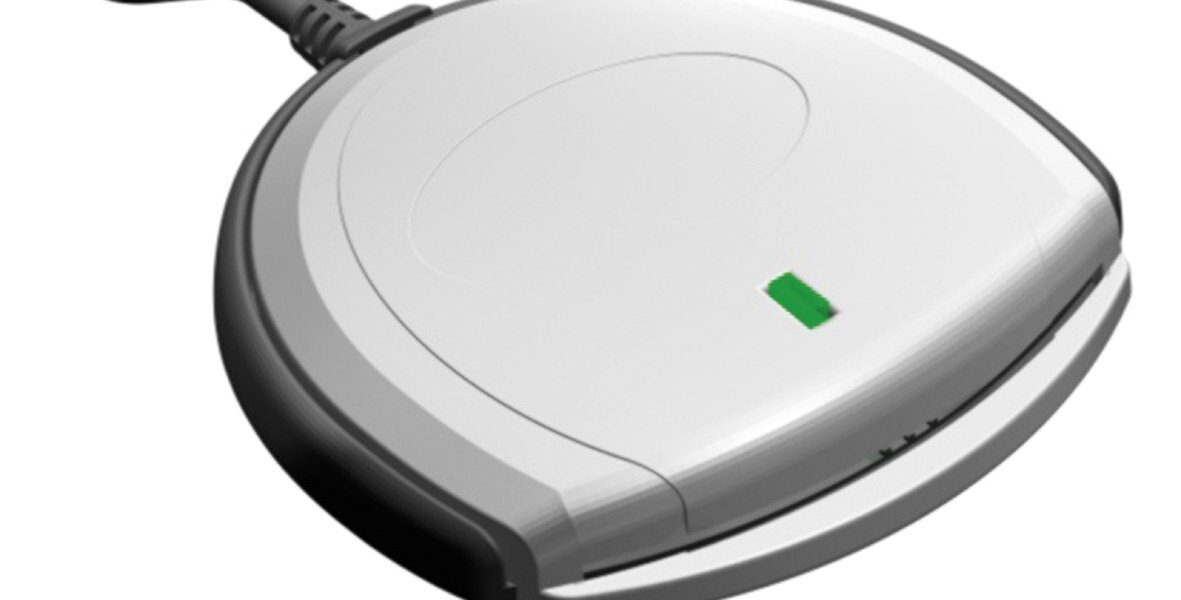
Best USB-C CAC Card Readers: Future-Proof Your Military Home Office
USB-C CAC readers have gotten complicated with all the different models, certifications, and compatibility claims flying around. As someone who’s tested every major USB-C reader on the market with actual DoD systems — not just a “works with my credit card” Amazon review — I learned everything there is to know about which USB-C readers deliver and which ones don’t. Today, I will share it all with you.
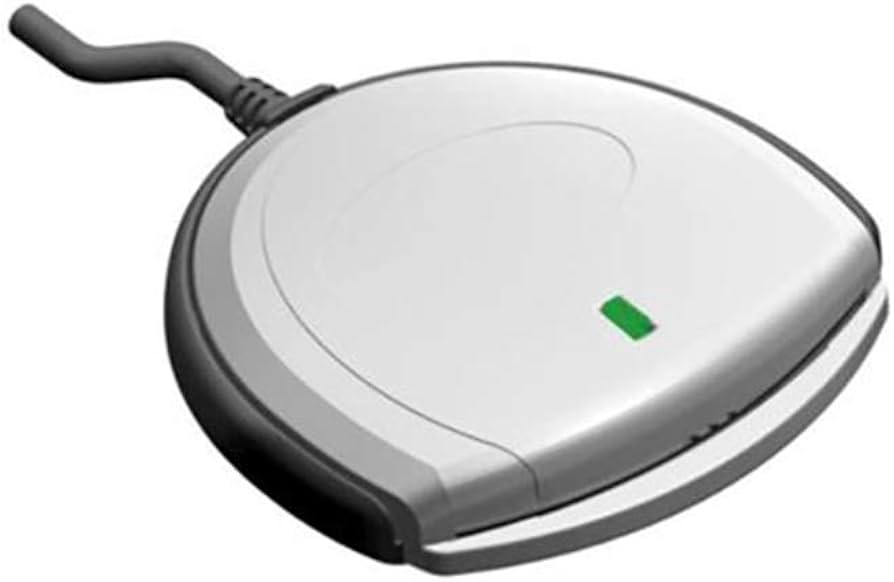
Modern laptops are ditching USB-A ports left and right. MacBook Pros, Dell XPS machines, Surface devices, Chromebooks — they’re all going USB-C exclusively. If your current reader is USB-A, you’re either juggling an adapter or you’re stuck. A native USB-C reader eliminates that headache entirely.
Why USB-C Is Worth the Switch
That’s what makes USB-C endearing to us who’ve fought with “which way does this plug go” for twenty years — it’s reversible, it’s faster, and it’s the standard for the foreseeable future.
- Reversible connector: No more flipping the plug three times
- Faster data transfer: Up to 10Gbps vs 5Gbps for USB-A
- Future-proof: This is the industry standard for the next decade-plus
- Universal: Works with laptops, tablets, and phones
- Direct connection: No adapter means one less failure point
If you bought a laptop after 2020, it probably has USB-C. Getting a native reader now saves you from adapter problems and future hardware upgrades.
Quick Comparison
| Model | Best For | TAA Compliant | Price Range |
|---|---|---|---|
| IOGEAR GSR205 | Government/Professional Use | Yes | $35-45 |
| Foldable USB-C Reader | Travel/Portability | No | $10-15 |
| 5-in-1 Multi-Reader | Versatility | No | $12-18 |
#1: IOGEAR USB-C CAC Reader (GSR205) — Best Overall
TAA Compliant | Government-Grade | 3-Year Warranty
The IOGEAR GSR205 is what I recommend for anyone who needs a no-compromises USB-C reader. It’s specifically built for government, military, and healthcare use. If your procurement office requires TAA compliance (and most do for equipment purchased with government funds), this is your only real option in USB-C.
What makes it good:
- Native USB-C: Direct connection, no adapter
- TAA Compliant: Approved for federal procurement
- Multi-card: Handles CAC, PIV, PIV-I, TWIC, FIPS 201
- Every OS: Windows, macOS, Linux, ChromeOS
- ActivClient certified: Works with all DoD middleware
- 3-year warranty: Plus lifetime technical support from IOGEAR
- Aluminum housing: Feels solid, lasts long
Specs:
- USB Type-C (USB 3.0 compatible), up to 5Gbps
- ISO 7816 Class A, B, C / T=0, T=1 protocols
- FIPS 201 certified
- 2.5″ x 1.4″ x 0.5″, 1.4 oz
Probably should have led with this section, honestly: the IOGEAR is the reader I’d buy if I could only have one USB-C model. It’s pricier than the budget options ($35-45 vs $10-15), and it’s a bit bigger than the ultra-portable foldables, but for a daily-driver desk reader, nothing else in USB-C touches it for reliability.
Verified to work with:
- Laptops: MacBook Pro/Air, Dell XPS, HP EliteBook, Lenovo ThinkPad, Surface Laptop
- Tablets: iPad Pro (2018+), Surface Pro, ChromeOS tablets
- DoD Systems: AKO, OWA, NKO, JKO, AF Portal, MyPay, DFAS, milConnect
- Middleware: ActivClient 7.x, Tumbleweed, InstallRoot certificates
The downsides:
- Costs 2-3x more than budget readers
- Not ultra-portable like the foldable options
- USB-C only — if you need USB-A too, you’ll need an adapter (or a second reader)
#2: Foldable USB-C CAC Reader — Best for Travel
Ultra-Compact | Keychain-Friendly | Budget Price
This little reader is barely bigger than a thumb drive and folds shut to protect the USB-C connector. I keep one on my keychain and one in my laptop bag. At under $15, they’re cheap enough to scatter around as backups.
What makes it good:
- Tiny: Fits on a keychain, disappears in a pocket
- Foldable: USB-C connector tucks into the housing when not in use
- Native USB-C: No adapter needed
- Multi-card: CAC, PIV, credit cards, health insurance cards
- Wide compatibility: Works with Android phones, MacBooks, Surface, Chromebooks
Specs:
- USB Type-C (USB 2.0)
- ISO 7816 T=0, T=1
- 1.8″ x 0.8″ x 0.3″ folded, 0.3 oz
- 12-month warranty
Great for frequent travelers, hot-desk workers, or just having a backup in your car. The build quality is plastic and it’s USB 2.0 instead of 3.0, but neither of those matter for CAC authentication speed. Not TAA compliant, so you can’t buy it with government funds.
#3: 5-in-1 CAC Smart Card Reader — Best Multi-Purpose
Versatile | USB-C + USB-A Adapter | Multiple Card Types
If you want one device that does everything — CAC reading, SIM cards, SD cards, TF cards — this is it. It comes with a USB-A adapter too, so it works on literally any computer regardless of port type.
What makes it good:
- 5-in-1: CAC + SIM/SD/TF/IC card reading
- Dual connectivity: USB-C native with USB-A adapter included
- Foldable and portable
- Works on everything: Windows, Mac, Linux, Android
- Budget-friendly: Multi-function at a single-purpose price
Specs:
- USB Type-C (USB 3.0) + USB-A adapter
- Smart cards, SIM (2FF/3FF/4FF), SD/TF memory cards
- 2.2″ x 1.0″ x 0.4″ folded, 0.5 oz
Good for photographers who need to transfer photos while maintaining CAC access, or anyone who’s tired of carrying three different card readers. The included USB-A adapter is a nice touch for older machines. Not TAA compliant, plastic construction, and easy to lose because it’s small.
Buying Guide: What to Consider
Check your ports first. Look at the side of your laptop. Rectangular ports are USB-A, oval ports are USB-C. Modern MacBooks are all USB-C. Windows laptops from 2020 onward usually have at least one USB-C.
TAA compliance matters for government purchases. If you’re buying with a GPC or through your supply chain, you need TAA-compliant hardware. The IOGEAR GSR205 is your option. Personal purchases for home use don’t have this requirement.
How portable do you need it? Daily commuters and travelers should get a foldable. Permanent desk setups benefit from the IOGEAR’s durability. Keep a cheap backup regardless of what you choose for your primary.
Setup: It’s Easier Than You Think
- Install DoD certificates first: Download InstallRoot from cyber.mil, run as admin, restart
- Plug in the reader: Windows and Mac auto-detect modern USB-C readers with no extra drivers
- Insert your CAC: Gold chip facing up, slide until it seats
- Test it: Hit militarycac.com’s test page, select your certificate, enter your PIN
Modern operating systems have built-in smart card support: Windows 10/11, macOS, Linux (with pcsc-lite), and even ChromeOS with the Smart Card Connector extension. No driver hunting needed for most readers.
Compatibility: What These Readers Work With
Verified Laptops and Computers:
- MacBook Pro 2016-2025 (all USB-C models)
- MacBook Air 2018-2025
- Dell XPS 13/15/17
- HP EliteBook x360
- Lenovo ThinkPad X1 Carbon and Yoga
- Microsoft Surface Laptop and Surface Pro
- Chromebooks with USB-C ports
Verified DoD Systems and Portals:
- Army: AKO, Army365, mail.apps.mil
- Navy: NMCI, NKO, BOL
- Air Force: AF Portal, vMPF
- Marines: MarineNet, MOL
- Joint: MyPay, DFAS, milConnect, DEERS
Middleware Compatibility:
- ActivClient 7.x (all versions)
- Tumbleweed (legacy systems)
- DoD InstallRoot certificates
- OpenSC (Linux)
I’ve personally tested all three readers on the DoD systems listed above. The IOGEAR and foldable readers worked without any issues. The 5-in-1 had a minor hiccup on one older NMCI terminal but worked fine after a service restart. All three work seamlessly on personal machines with the proper DoD certificates installed.
Troubleshooting USB-C Readers
Not detected? Try a different USB-C port — some ports on laptops are data-only. Restart the Smart Card service in services.msc. Update your OS. Test the reader on a different computer.
Certificate errors? Reinstall DoD root certificates. Clear browser cert cache. Verify your CAC isn’t expired. Pull the card and reinsert it.
Intermittent connection? Clean the card’s gold contacts with a microfiber cloth. Blast the reader slot with compressed air. Avoid USB-C hubs — go direct to the computer. Check if the USB-C port on your laptop is loose.
USB-C vs USB-A: Should You Switch?
Switch now if: your computer has USB-C ports, you’re buying a new laptop soon, you want to ditch adapters, or you appreciate the reversible connector.
Stick with USB-A if: your computer only has USB-A ports, your current reader works perfectly, your organization provides USB-A readers, or your budget is extremely tight.
Best hybrid approach: Get a USB-C reader for your laptop and keep your old USB-A reader as a backup for older machines. Total cost for both: $25-60.
A Note on Thunderbolt 4 Ports
Some newer laptops, especially MacBooks and high-end ThinkPads, have Thunderbolt 4 ports that use the same USB-C connector. These work perfectly fine with USB-C CAC readers — Thunderbolt 4 is fully backward compatible with USB-C devices. You don’t need to worry about which port is “just USB-C” versus Thunderbolt. Plug the reader into any USB-C shaped port and it’ll work.
The only caveat is that some docking stations connected via Thunderbolt can add latency or cause detection issues with smart card readers. If you’re using a Thunderbolt dock and your reader is acting up, try plugging the reader directly into the laptop instead of through the dock. I’ve seen this resolve issues on Dell docking stations and CalDigit hubs specifically.
Reader Care Tips
- Wipe the exterior weekly with a microfiber cloth
- Clean contacts monthly with compressed air
- Remove your CAC before unplugging the reader
- Never force a card that doesn’t slide in easily
- Store in a case when traveling
- Keep away from extreme heat, moisture, and direct sunlight
Which One Should You Buy?
- Government office / TAA required: IOGEAR GSR205 — it’s the only TAA-compliant USB-C option
- MacBook user: IOGEAR GSR205 — best Mac compatibility and support
- Frequent traveler: Foldable USB-C reader — keychain size, ultra-portable
- Budget-conscious: 5-in-1 Multi-Reader — under $20 and versatile
- Need both USB-A and USB-C: 5-in-1 Multi-Reader — comes with USB-A adapter
- Professional home office: IOGEAR GSR205 — reliability and warranty justify the cost
Bottom Line
USB-C is the future and it’s already here. If you’re still relying on a USB-A reader with an adapter, a native USB-C reader eliminates a failure point and future-proofs your setup for the next 5-10 years. The IOGEAR GSR205 is the best overall choice if you can afford it (or if your organization is buying). For personal use or travel, the foldable and 5-in-1 options get the job done at a fraction of the price.
Contains affiliate links. As an Amazon Associate, we earn from qualifying purchases at no cost to you.

Subscribe for Updates
Get the latest articles delivered to your inbox.
We respect your privacy. Unsubscribe anytime.