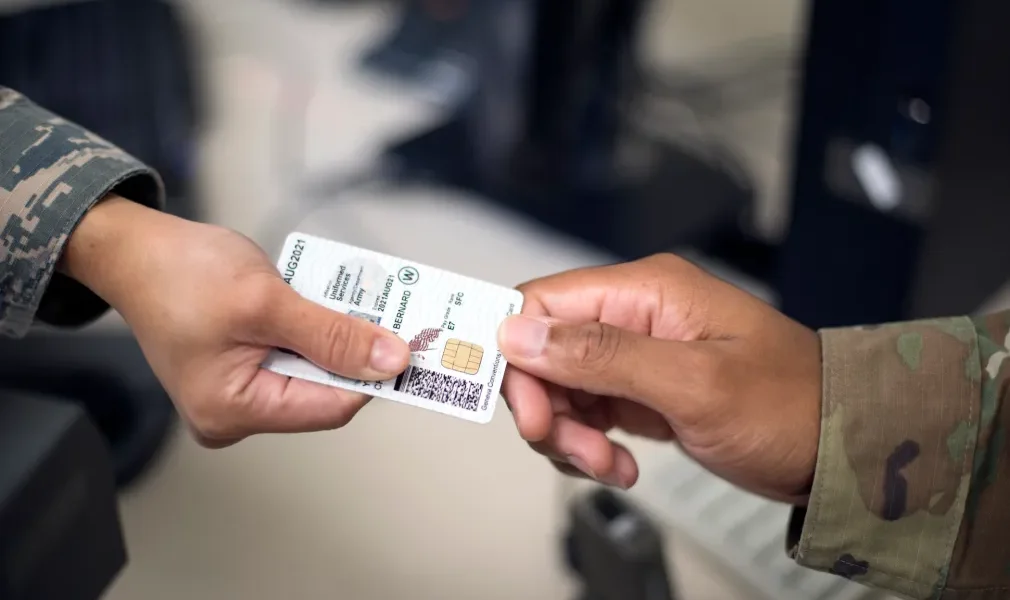
CAC Mobile Readers: Best iPhone & Android Card Readers for DoD Email
Mobile CAC readers have gotten complicated with all the different phone models, connector types, and app restrictions flying around. As someone who’s tested these on everything from ancient iPhones to the latest Samsung Galaxy, I learned everything there is to know about getting CAC access from your phone or tablet. Today, I will share it all with you.
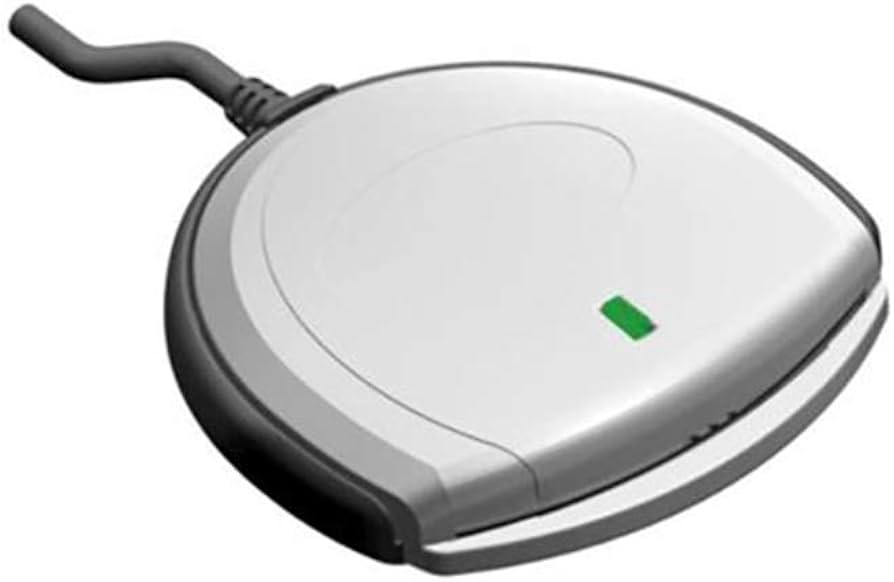
While most military folks use a computer for CAC access, mobile readers give you flexibility when you’re deployed, traveling, or just need to check something quickly without booting up a laptop.
The Reality Check You Need First
Probably should have led with this section, honestly. Mobile CAC access is way more limited than computer access. Before you drop money on a mobile reader, understand what you’re getting into:
- Limited website support: Plenty of DoD websites just don’t work with mobile certificate authentication. Period.
- Browser restrictions: Only certain mobile browsers play nice with CAC readers
- App limitations: Most military apps don’t support external CAC readers at all
- OWA is the main use case: Checking email via Outlook Web Access is really what these are best for
- No classified access: You cannot access NIPRNET or SIPRNET from a mobile reader. Ever.
Think of a mobile CAC reader as a backup for checking email and basic portal stuff, not a replacement for your computer setup.
iPhone CAC Readers (Lightning)
Thursby PKard Reader for iOS
Best Lightning option — $99
That’s what makes the PKard Reader endearing to us iPhone users — it’s one of the only Lightning CAC readers that actually works reliably. It’s MFi certified (Apple’s “Made for iPhone” program), which means Apple has vetted the hardware.
- Lightning connector works with iPhone 5 through iPhone 14
- Plug-and-play with Thursby’s free PKard Reader app from the App Store
- Works with OWA, MyPay, milConnect, and most CAC-enabled DoD websites
- Powered by your iPhone — no battery to charge
- Compact with a keychain attachment so you don’t lose it
What you can access: OWA email, MyPay, milConnect, and basic DoD PKI websites. What you can’t: most military mobile apps, classified systems, and any site that doesn’t support mobile certificate auth.
Where to buy: Direct from Thursby Software Systems (thursby.com). It’s not on Amazon. $99 plus shipping.
Setup Process:
- Download the free “PKard Reader” app from the App Store
- Install DoD root certificates in iOS (download from cyber.mil)
- Plug the PKard Reader into your Lightning port
- Insert your CAC with the gold chip facing the screen
- Open Safari and go to webmail.apps.mil
- Enter your PIN when prompted
The Identiv uTrust Token for iOS is another option at a similar price ($89-99). Functionality is nearly identical — pick whichever one is in stock.
Android CAC Readers (USB-C)
Android is actually the better platform for mobile CAC access because USB-C is universal. Any USB-C CAC reader that works on a laptop should work on your Android phone too — the bottleneck is software support, not hardware.
Standard USB-C Readers (Best Value)
$10-25 — same reader works for phone and laptop
This is the move for Android users. Buy a USB-C CAC reader, use it on your phone when you need mobile access, and plug it into your laptop when you need a full computer experience. One reader, two uses.
Option 1: Foldable USB-C CAC Reader
- Ultra-compact, fits on a keychain
- USB-C native — no adapter needed
- Works with Samsung Galaxy, Google Pixel, OnePlus, etc.
- $10-15
Option 2: 5-in-1 USB-C Multi-Reader
- Reads CAC plus SIM, SD, and TF cards
- Includes a USB-A adapter for older devices
- Foldable and portable
- $12-18
Your Android device needs to support USB OTG (On-The-Go) and run Android 8.0 or newer. Most phones from the last few years support this. If you’re not sure, download “USB OTG Checker” from the Play Store.
Android CAC Setup
Step 1: Install DoD Root Certificates
- Download DoD root certificates from public.cyber.mil/pki-pke on your phone
- Transfer the .p7b certificate files if you downloaded on a computer
- Go to Settings, Security, Encryption & Credentials, Install from storage
- Select each .p7b file and install it
- Name them something you’ll recognize, like “DoD Root CA”
Step 2: Connect Reader and Insert CAC
- Plug your USB-C reader into your phone
- Insert your CAC card with the gold chip facing the screen
- You should see a “USB device connected” notification
Step 3: Access Your Email
- Open Chrome — not Samsung Internet, not Firefox, Chrome specifically
- Go to webmail.apps.mil
- Chrome should ask you to select a certificate
- Pick your CAC certificate and enter your PIN
- Bookmark it for next time
What About iPhone 15 and USB-C?
This is actually great news for military iPhone users. The iPhone 15 and later switched from Lightning to USB-C, which means any USB-C CAC reader works — the same $10-15 reader you’d use on Android. No more paying $99 for a Lightning-specific reader. Follow the same setup steps as Android, adjusted for iOS certificate installation (Settings, General, About, Certificate Trust Settings).
Troubleshooting Mobile CAC
iPhone: “Certificate Not Trusted”
Install the DoD root certs: download the .cer files from cyber.mil, open them on your iPhone to install the profiles, then go to Settings, General, About, Certificate Trust Settings and enable trust for each DoD root certificate.
Android: Reader Not Detected
Verify OTG support with the OTG Checker app. Try a different USB-C cable or adapter. Reboot your phone with the reader connected. Some phones need you to grant USB permission through a popup notification — check your notification shade.
Website Won’t Accept CAC on Mobile
Many DoD sites simply don’t support mobile certificate authentication. That’s a DoD limitation, not your reader. OWA email access is the most reliable mobile use case. If a specific portal won’t work on mobile, you’ll need a computer.
Alternatives to Mobile CAC Readers
Before buying a reader, check with your IT help desk about mobile email profiles. Many organizations configure Exchange ActiveSync or Outlook Mobile profiles that give you email access without needing a CAC reader at all. The iOS Mail app, Nine Email, and Outlook Mobile can all work with military email through managed profiles.
Remote desktop is another option. Use Microsoft Remote Desktop or your organization’s VDI solution to access a CAC-enabled computer from your phone.
Comparison Table
| Reader Type | Devices | Price | Ease of Use | Reliability |
|---|---|---|---|---|
| Thursby PKard (Lightning) | iPhone 5-14, iPad | $99 | Excellent | Very High |
| USB-C Reader (Android) | Most Android phones | $10-25 | Moderate | High |
| USB-C Reader (iPhone 15+) | iPhone 15+ only | $10-25 | Moderate | High |
When Mobile CAC Readers Are Worth It
- Deployed with limited computer access
- Need to check email during travel emergencies
- Quick MyPay or LES checks on the go
- Backup when your primary computer dies
When They’re Not Worth It
- Daily email access (use a computer)
- App-based access (most apps don’t support external readers)
- Heavy portal navigation (mobile browser experience is rough)
- Your organization already provides mobile email profiles
Security Reminders
- Keep your phone locked — CAC plus an unlocked phone equals your identity
- Don’t use CAC access on public or unsecured WiFi
- Report a lost reader immediately, same as a lost CAC
- Mobile devices store certificates, so keep your phone secured
My Recommendations by Device
iPhone 14 and older (Lightning): Thursby PKard Reader at $99 — it’s the only reliable Lightning option.
iPhone 15+ (USB-C): Any foldable USB-C CAC reader at $10-15. Save the $85 difference.
Android (USB-C): 5-in-1 USB-C Multi-Reader at $12-18. Versatile and works with your laptop too.
iPad Pro (USB-C): Same as Android — any USB-C reader works.
Best budget move: Check if your organization provides mobile email profiles first. You might not need a reader at all.
Bottom Line
Mobile CAC readers are handy for checking email and basic portal access on the go, but they don’t replace a proper computer setup. If you’re on an older iPhone, the $99 Thursby PKard is your only real option. iPhone 15 and Android users can save serious money with a standard $10-15 USB-C reader that also works on laptops. And always check whether your organization offers mobile email profiles before spending any money — you might already have access without needing a reader.
Contains affiliate links. As an Amazon Associate, we earn from qualifying purchases at no cost to you.

Subscribe for Updates
Get the latest articles delivered to your inbox.
We respect your privacy. Unsubscribe anytime.