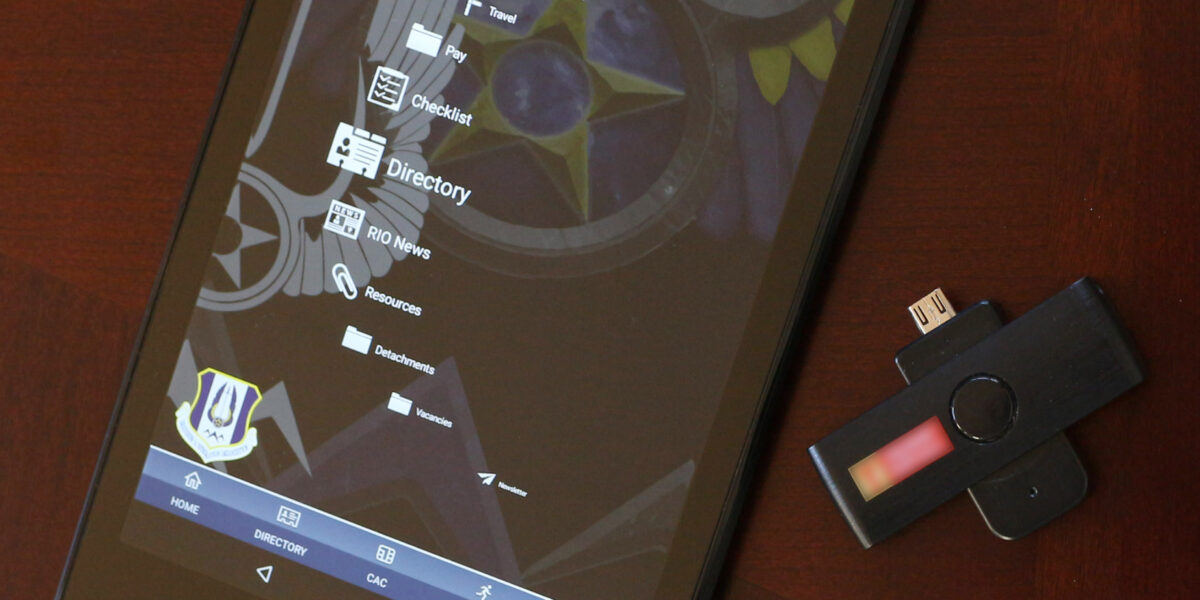
Desktop vs portable CAC readers has gotten complicated with all the options flying around.
Why the Desktop vs Portable Decision Matters
Look, if you’re sitting at the same desk every day on a government network, a desktop reader is probably the move. They’re stable, they don’t get lost, and they hold up to years of daily use without hiccups. But if you’re TDY every other week or you’re bouncing between workstations, a portable reader starts looking pretty attractive real fast.
I’ve seen folks try to use one type for everything and it never really works out. The guy who carries his desktop reader in a laptop bag ends up with a broken USB connector inside of six months. The person who leaves their portable reader plugged in permanently ends up replacing it way sooner than they should because those little guys aren’t built for 24/7 duty.
Desktop Readers: The Workhorse Option
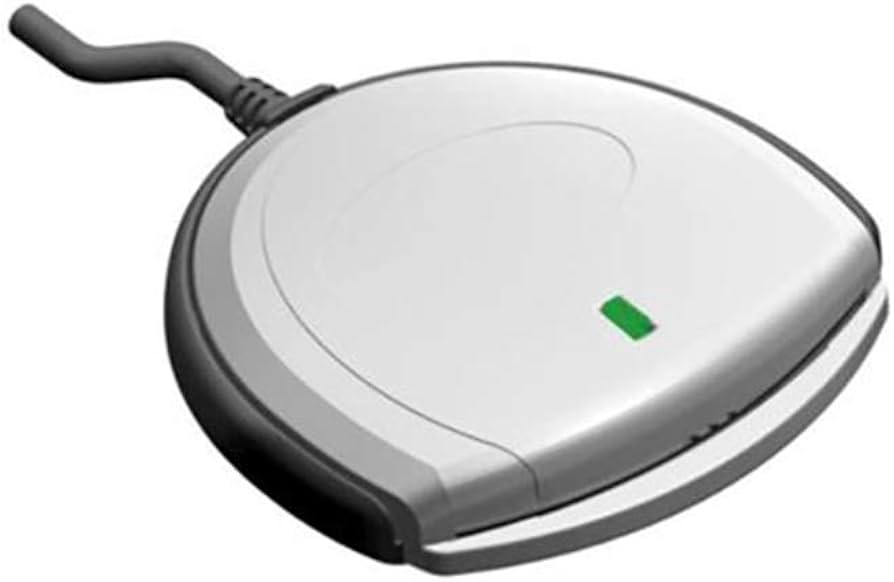
Your standard desktop CAC reader — think the SCR3310 or the Identiv uTrust 2700 — is what you’ll find bolted to most government desks. They’re contact readers, meaning you slide the card in and the gold chip on your CAC makes physical contact with the pins inside the reader. That connection is rock solid when it works right.
Desktop readers usually have a longer cable (about 4-5 feet), heavier base so they don’t slide around, and they pull power directly from USB so there’s nothing to charge. Most of them are FIPS 201 compliant out of the box, which means your security office won’t give you grief about using one.
The downside? They take up desk space and they’re not going anywhere with you. If your job involves moving between buildings or working from different locations, a desktop reader tethers you to one spot.
Portable Readers: Freedom With Trade-offs
Portable CAC readers are smaller, lighter, and designed to travel. Some of them fold up, some are barely bigger than a thumb drive. The ACR39U-N1 is a popular pick for folks who need something pocket-sized. You can also find ones with USB-C connections now, which is great if you’re running a newer laptop.
That’s what makes portable readers endearing to us road warriors — you can throw one in your bag and have CAC access anywhere there’s a computer with a USB port.
But here’s the thing. Portable readers have thinner cables, smaller contact pins, and they take more of a beating from being carried around. I’ve personally gone through about three portables for every one desktop reader I’ve replaced. They work great, they just don’t last as long under rough conditions.
Compatibility and Driver Considerations
Probably should have led with this section, honestly. Before you buy any reader, check what OS you’re running. Windows 10 and 11 have built-in CCID drivers that work with most readers out of the box. macOS needs a bit more setup — you’ll want to grab the latest drivers from the manufacturer’s site. Linux users, you already know the drill with pcsc-lite and opensc.
Both desktop and portable readers from major manufacturers (Identiv, HID Global, ACS) generally work across all platforms. The difference is that desktop readers tend to have more robust driver support and fewer quirks, especially on older systems. I’ve seen portable readers act finicky on Windows 7 machines that some offices still haven’t upgraded — yes, those still exist in 2025.
My Recommendation
If you can only buy one, get a quality desktop reader like the SCR3310v2 for your main workstation and budget for a cheap portable as a backup. If your command will fund it, get both. Having a backup reader has saved me more than once when my primary decided to stop cooperating the morning a critical report was due.
Test whatever you buy before you actually need it for something important. Plug it in, install drivers, make sure your CAC authenticates, and then put it where it belongs. Don’t be the person scrambling to set up a new reader five minutes before a deadline.



Subscribe for Updates
Get the latest cac readers.com updates delivered to your inbox.
We respect your privacy. Unsubscribe anytime.