
Multi-user CAC reader deployments have gotten complicated with all the enterprise management tools and policy requirements flying around.
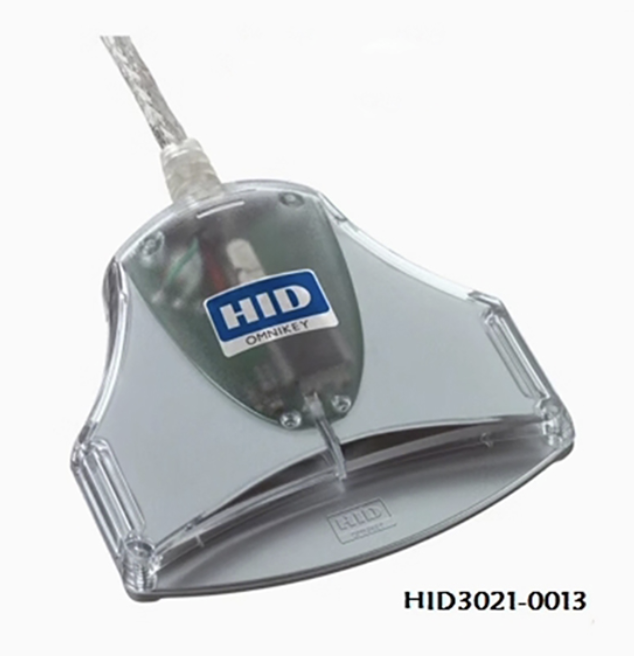
Picking Readers for a Big Deployment
Not every reader that works great on one desk works great on a hundred desks. When you’re deploying across an organization, you want to optimize for three things: zero-touch driver setup, hardware durability, and supportability when something goes wrong at 0630 on a Monday.
CCID-compliant readers are non-negotiable for enterprise. If the reader uses the CCID standard, Windows recognizes it through built-in drivers with no extra software needed. That means your imaging team doesn’t have to bake special drivers into the base image, and your help desk doesn’t field calls from users who can’t figure out how to install a driver package. The HID OMNIKEY 3121, Identiv SCR3310v2, and Gemalto IDBridge CT40 all fall into this category.
For durability, look at the insertion rating. A reader rated for 100,000+ insertions will last about 3-5 years of daily use in a shared workstation environment. Anything rated below 50,000 insertions is going to start failing within a year if multiple users are swapping cards throughout the day.
Driver Deployment Strategy
Probably should have led with this section, honestly. Even with CCID readers, you want a controlled driver strategy. Here’s what works:
If you’re using SCCM or Intune, pre-stage the reader drivers in your deployment package. Yes, CCID readers work without manufacturer drivers, but the vendor drivers sometimes provide better performance and diagnostic capabilities. Download the MSI package from the vendor, test it against your standard image, and push it out before the hardware ships.
If you’re not using endpoint management — and I’ve been in plenty of shops that aren’t — at least create a shared drive with the driver installers and a one-page instruction sheet. Keep it simple. Users will find a way to mess up anything more complicated than “plug it in.”
Group Policy Is Your Best Friend
That’s what makes Group Policy endearing to us sysadmins — you configure it once and it propagates everywhere without chasing individual workstations.
Set these policies before deployment day. Smart Card Removal Behavior should be set to “Lock Workstation” in most environments. This way when someone pulls their CAC, the machine locks automatically. Set the Smart Card service to automatic startup. Enable Certificate Propagation so user certs register properly when a new card is inserted. And configure your PIN complexity requirements if your security posture demands it.
For shared workstations, set card removal to lock rather than log off. Logging off destroys the user session and takes forever to bring back. Locking just puts up the lock screen, and the next user can tap in with their CAC in seconds. I’ve seen this single change cut average workstation transition time from 3 minutes to about 15 seconds in high-turnover environments like operations centers.
Certificate Management at Scale
Deploy DoD root and intermediate certificates via GPO. Do not rely on users to install them manually — that’s a recipe for hundreds of help desk tickets. Push the full InstallRoot bundle as part of your baseline configuration, and set up a scheduled task to refresh the certificate trust list monthly.
Set up OCSP or CRL checking for certificate revocation. This matters when someone’s CAC gets revoked — you don’t want a revoked card still authenticating on your network because the workstation hasn’t checked the revocation list in six months.
Monitoring and Inventory
Track what you deploy. Record serial numbers, assigned locations, and installation dates. When a reader fails in Building 3, Room 214, you want to know what model it is and how old it is without having to send someone over to check. Use your asset management platform for this — DPAS, Sunflower, whatever your shop runs.
Enable Windows security event logging for smart card events (Event IDs 4768, 4771, 4776 are the ones to watch). Forward these to your SIEM if you have one. This gives you visibility into authentication failures across the enterprise, which is useful for both troubleshooting and security monitoring.
Spare Inventory and Lifecycle
Keep 10% spares on hand. Readers fail, cables get yanked, and USB connectors get bent. Having spares means your help desk can do a swap in five minutes instead of submitting a procurement request that takes three weeks. Budget for full replacement every 3-5 years, and test any new reader model against your environment before committing to a bulk purchase.
Help Desk Prep
Your deployment is only as good as your support plan. Create a simple troubleshooting flowchart for your help desk: is the LED on? Try a different port. Still nothing? Swap the reader. Card works in another reader? It’s the reader, not the card. Card fails everywhere? Send the user to get a new CAC. Train your tier 1 techs on PIN reset procedures too — that’s easily 30% of CAC-related tickets in any organization I’ve supported.




Subscribe for Updates
Get the latest cac readers.com updates delivered to your inbox.
We respect your privacy. Unsubscribe anytime.